From a ledger export to board-ready reporting
Keyfig reads the files your finance team already produces and turns them into a reporting model: the same structure an EPM system gives you, built in an afternoon.
Upload your files
Export a trial balance or GL extract from your ledger and drop it in. Keyfig recognises the columns (company, account, cost centre, month, amount) and checks every company-month balances.
- CSV, Excel or tab-separated, UTF-8 or UTF-16
- One company and month, or a whole group's year in one file
- Budgets and forecasts by month across the page
- Save the column layout as a profile for next month
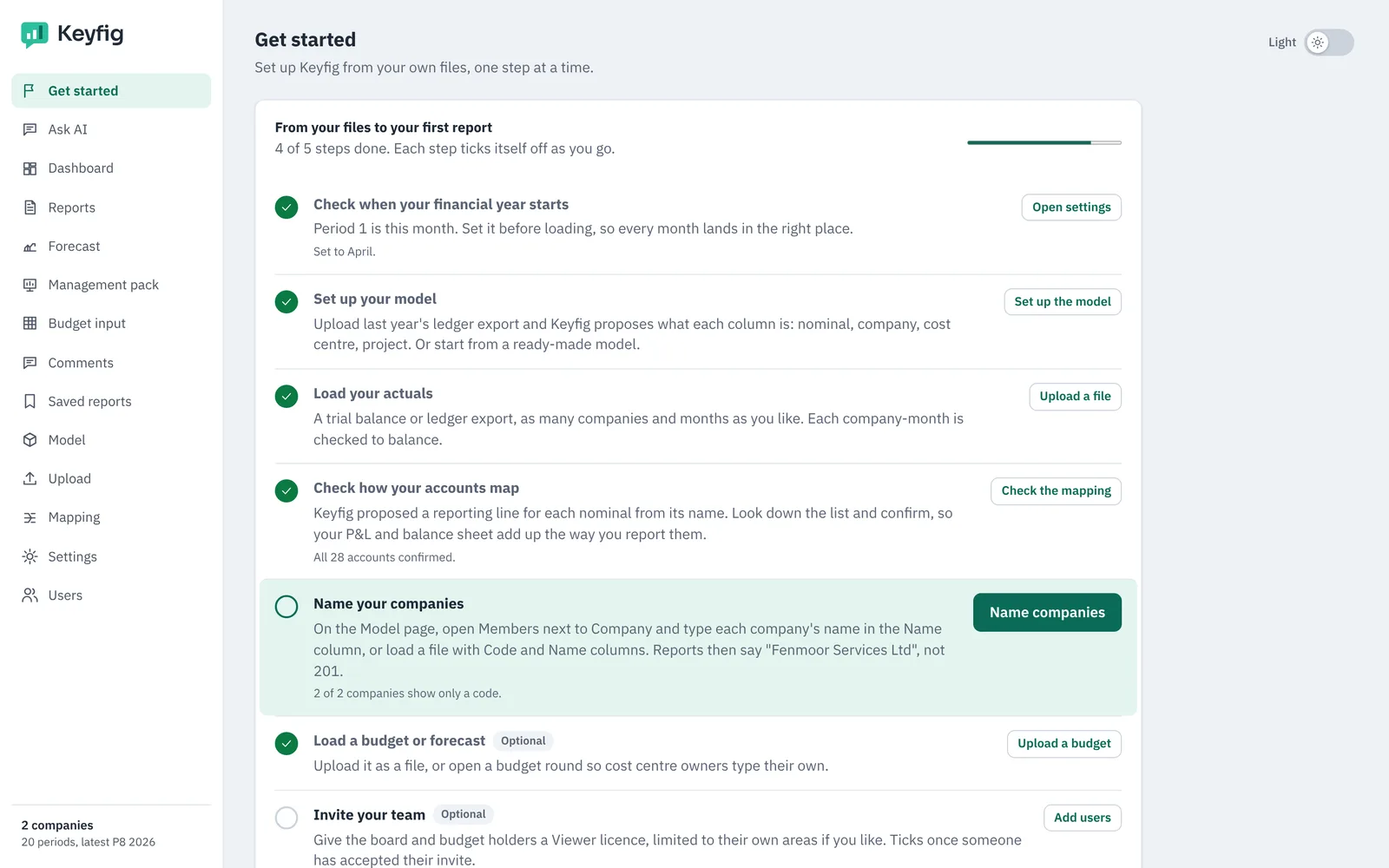
Shape the model and confirm the mapping
Keyfig proposes your dimensions (companies, nominals, cost centres, projects, versions) and maps every nominal to a P&L or Balance Sheet line from its name. You confirm, or change the few it is unsure about.
- Your financial year start: January, April, October or any month
- Roll-ups from simple Code, Name, Parent files
- New codes in later uploads are flagged for approval
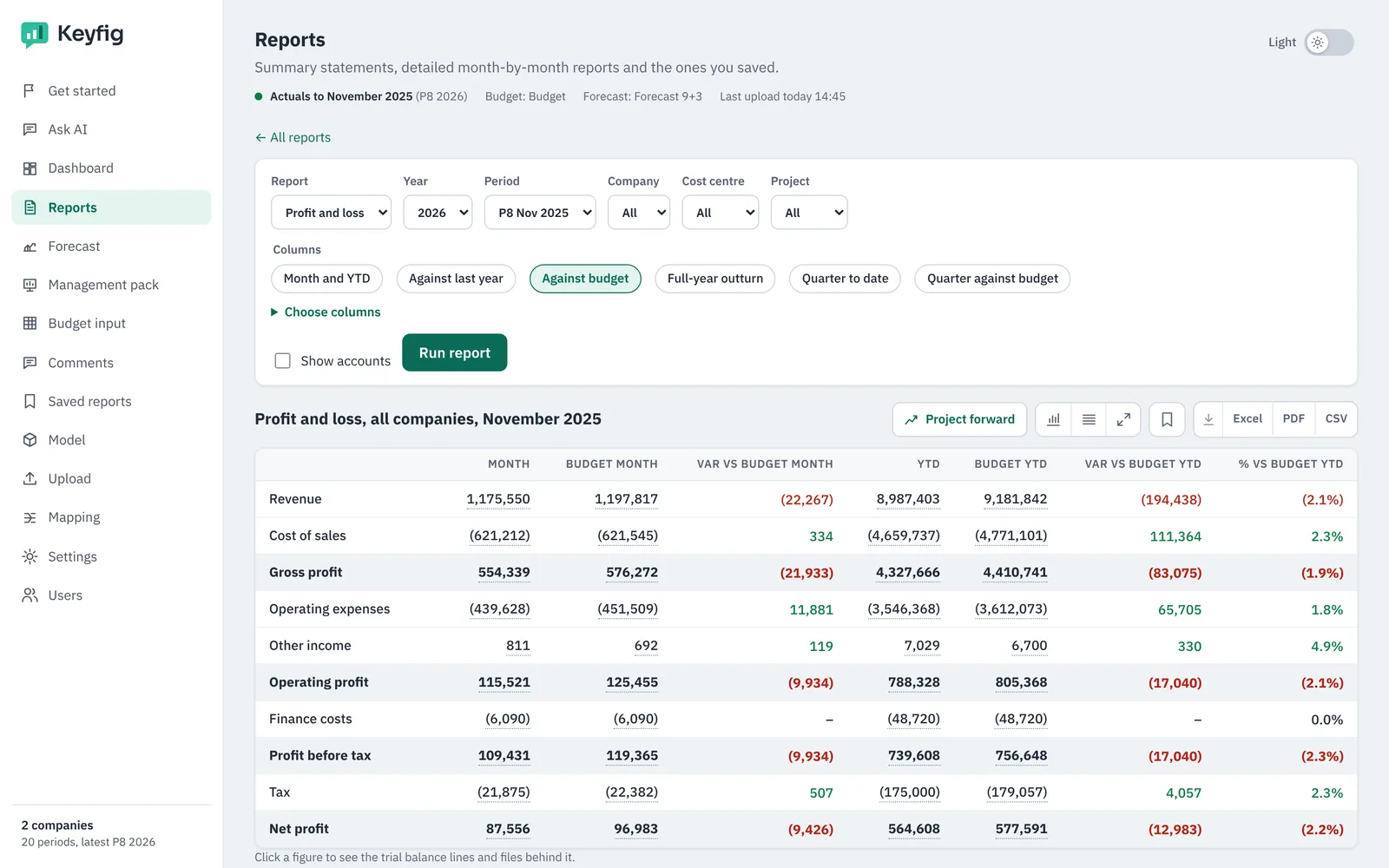
Your reports are ready
The moment the upload finishes, the trial balance, P&L, Balance Sheet, cash flow, detailed grids and dashboard are built against budget, forecast and last year. Click any figure to see the lines and files behind it.
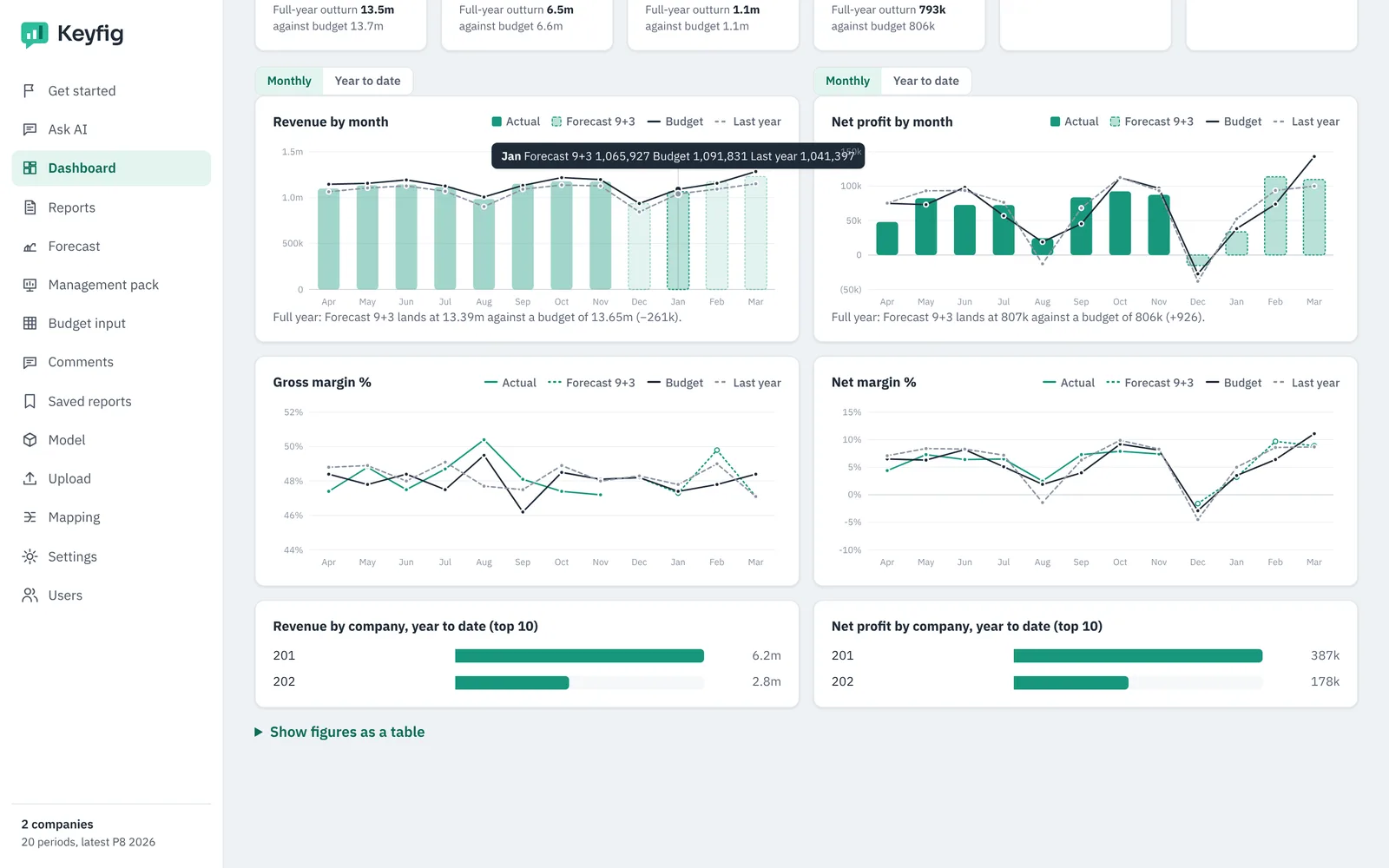
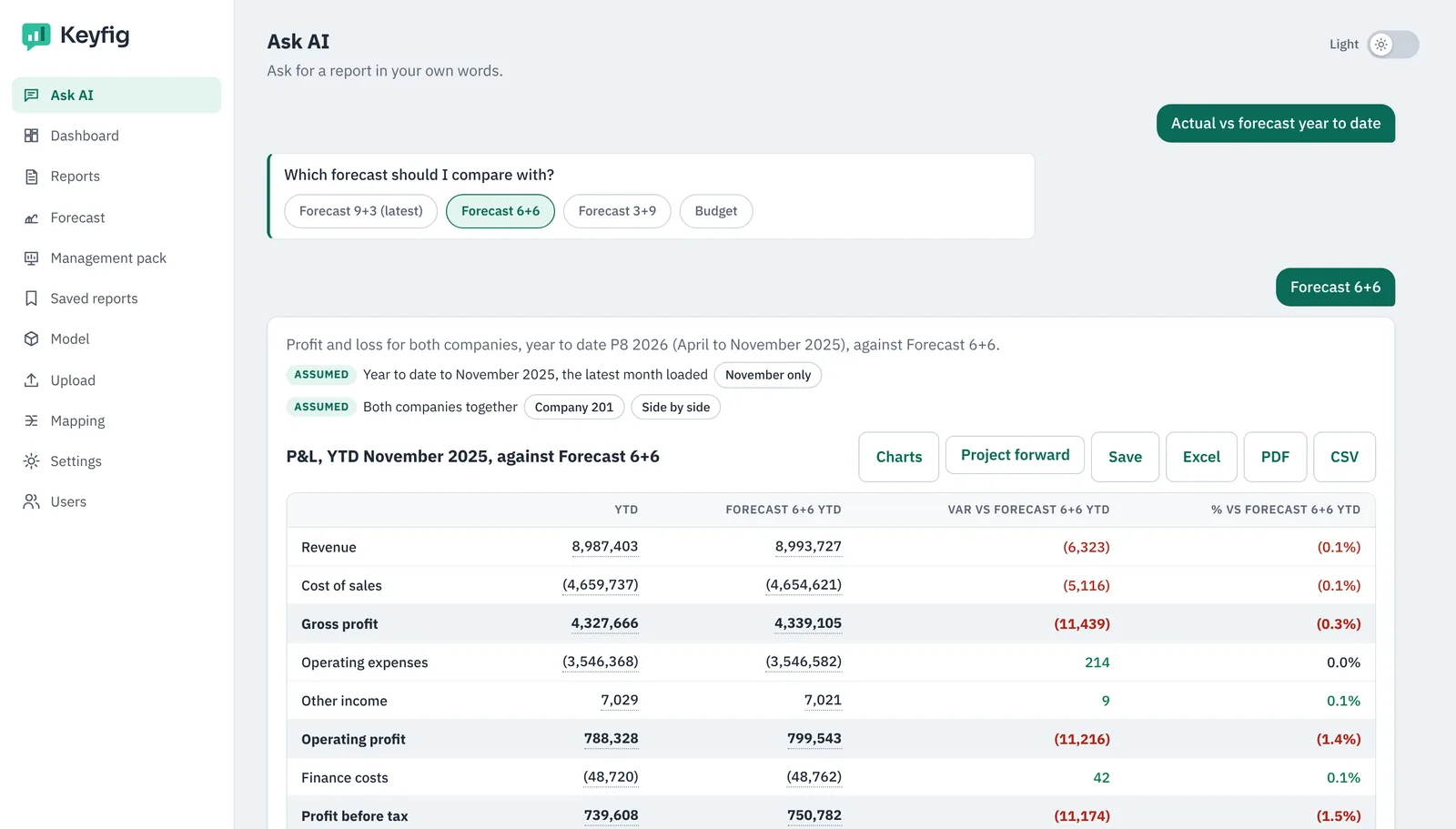
Ask, forecast, budget and share
Ask Keyfig AI for any cut of the figures, project the rest of the year, run a budget round with your budget holders, and send the board a pack with commentary, all from the same model.
See your own numbers in Keyfig
Bring a trial balance export from your ledger. In a 30-minute call we load it, build your reports and answer your questions live.